Swap numbers
on your page.
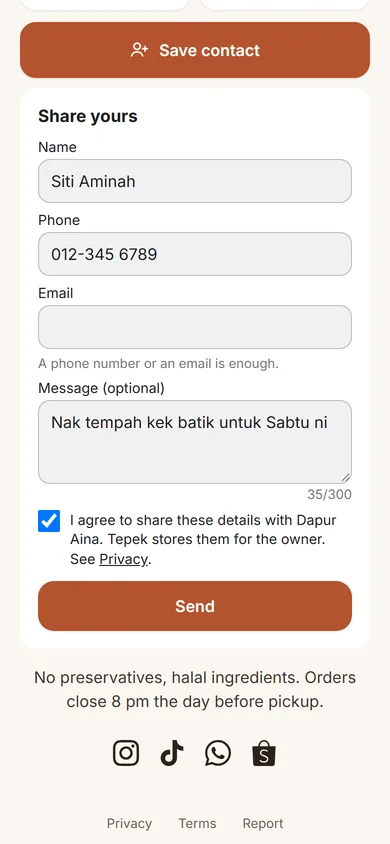
Save contact gives them your number. Share yours brings you theirs.
Both ways
Two buttons,
both ways round.
- Save contact
- A contact card with your name, numbers, photo and page, straight into their phone.
- Share yours
- A short form for their name and number. They tick a box to agree first.
- Your words
- Rename either button, like Leave your number or Book a call.
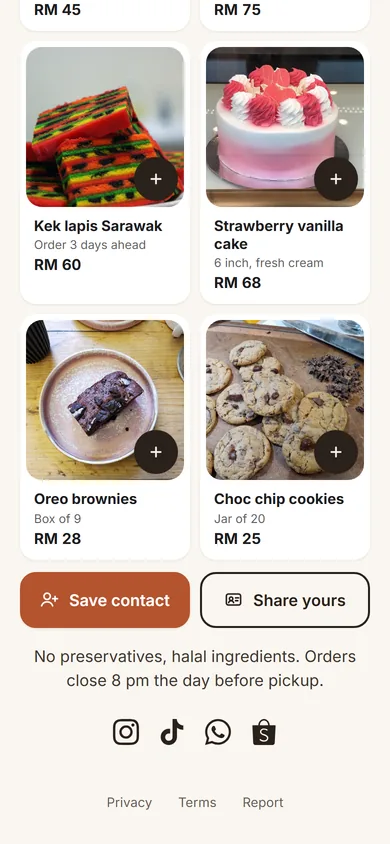
The form
What the form
asks.
Nothing else. Limits in characters.
| Field | Needed | Up to |
|---|---|---|
| Name | Always | 60 |
| Phone | Phone or email | 24 |
| Phone or email | 254 | |
| Message | Optional | 300 |
Leads
Leads,
only for you.
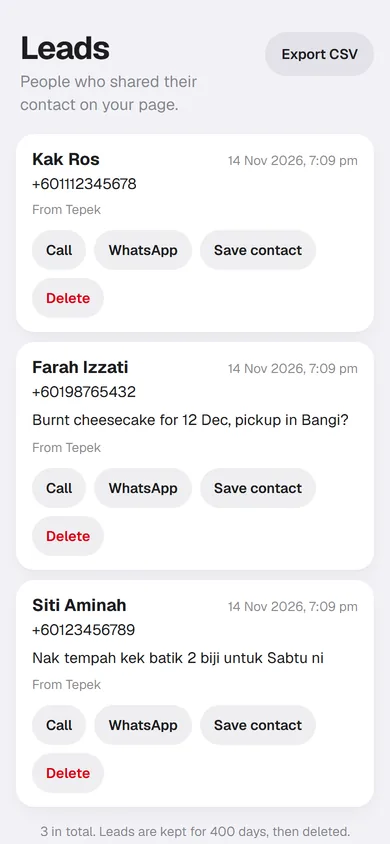
Every contact people share, newest first.
- Reply your way
- Call, WhatsApp, email, or save them to your phone.
- Which NFC
- Each contact shows the date and the NFC it came from.
- Yours to remove
- Delete one any time. Older than 400 days, they go by themselves.
Turn it on
in My page.
Add the block
Add a block, then Contact exchange. One per page.
Check your details
Save contact uses the numbers and email on your page.
Name the buttons
Keep Save contact and Share yours, or use your own words.
Open Leads
New contacts land there, with a notification on your phone.
Pricing
Free and Lifetime
Both plans get both buttons.
Start on Free. Lifetime is RM 29, paid once in the Tepek app.
| What you get | FreeRM 0 | LifetimeRM 29, once |
|---|---|---|
| Save contact button | Yes | Yes |
| Contacts you see in Leads, per 30 days | Up to 20 | Up to 200 |
| Export Leads as CSV | No | Yes |
Lifetime is bought in the Tepek app for Android.
Is it on the Free plan?
Yes. Free shows you up to 20 new contacts in Leads every 30 days; more still come in and wait there, locked, until you get Lifetime, which shows them all (up to 200 every 30 days). Save contact has no limit.
What happens at the limit?
Share yours leaves your page until the 30 days free up. Save contact stays.
Who sees the contacts people leave?
Only you, in Leads. The push on your phone leaves their details out; open Leads to see them.
Can I download them?
On Lifetime, Export CSV in Leads gives you every contact as a spreadsheet.
Your name is waiting